


 6 minutes
 Share
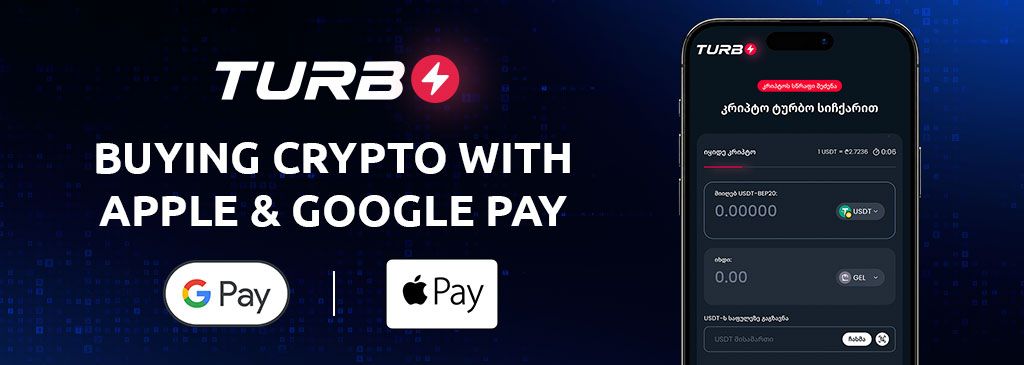
Buy Crypto with Apple Pay and Google Pay on TURBO
Buying crypto should be straightforward, from choosing an asset to completing your payment. With that goal in mind, TURBO by Cryptal now supports Apple Pay and Google Pay, giving you more choice when purchasing Bitcoin and other supported crypto assets.
The update brings familiar payment options to TURBO’s account-free purchase process. Choose your crypto, enter the receiving wallet address, complete the required identification steps, and select your payment method. If you already use Apple Pay or Google Pay, you can now use an available option to pay on TURBO by Cryptal.
What Does the Apple Pay and Google Pay Update Mean?
Apple Pay and Google Pay let you make payments using eligible cards saved in your digital wallet. Their addition to TURBO means you have another way to complete your crypto purchase, with less manual card entry at checkout.
For example, if you want to buy Bitcoin with Apple Pay, you can prepare your Bitcoin wallet address, follow TURBO’s purchase steps, and choose Apple Pay when it appears among the available payment options.
The same principle applies to buying crypto with Google Pay: select the option at checkout, review your payment details, and follow the authorization instructions. Availability depends on your device, card, and the payment options presented during your purchase.
Why Buy Crypto with Apple Pay or Google Pay?
A familiar checkout can make a new experience easier to navigate. For someone buying crypto for the first time, using a payment method they already know removes one more unfamiliar step.
The main benefits include:
- Less manual card entry: Use an eligible saved card instead of entering its details for each purchase.
- Familiar payment steps: Review and authorize your payment through the digital wallet you already use.
- Convenient mobile purchases: Complete checkout from a compatible device.
- More payment choice: Select the available option that suits how you prefer to pay.
Apple explains how its service works on the official Apple Pay page. Google also provides a guide to paying on an app or website with Google Pay.
How to Buy Crypto with Apple Pay or Google Pay on TURBO
Whether you want to buy Bitcoin or another supported crypto asset, the process follows the same basic steps.
1. Open TURBO and Choose Your Crypto
Visit TURBO and select the crypto asset you want to purchase.
Before continuing, make sure you have a suitable receiving crypto wallet. The wallet must support your chosen asset and the transfer network used for the purchase.
2. Enter the Purchase Amount
Enter the amount of crypto you want to receive or the fiat amount you want to spend.
Review the quote displayed before proceeding. Crypto prices can change, so check the transaction details rather than relying on a price you saw earlier.
3. Enter Your Crypto Wallet Address
Provide the external crypto wallet address where you want to receive your purchase.
Check the entire address and confirm that the asset and network match your receiving wallet. Sending crypto to an incorrect address or an unsupported network can result in a loss of funds.
4. Enter Your Personal ID Number
Enter your personal ID number as requested.
TURBO does not require you to create an account, but identification remains part of the purchase process.
5. Complete SMS Confirmation
Follow the SMS confirmation instructions shown during checkout.
Check that you have entered the requested information correctly before moving to payment.
6. Select Apple Pay or Google Pay
Choose Apple Pay or Google Pay when your preferred option is available.
Review the final amount and payment details, then follow the on-screen authorization instructions. After paying, follow the transaction status and any further instructions provided by TURBO.
Can You Buy Bitcoin Without Registration?
Yes, TURBO allows you to buy Bitcoin without creating an account. You do not need to set up a separate TURBO profile before starting your purchase.
However, buying without account registration still involves entering your personal ID number and completing SMS confirmation. These steps remain part of the process when you choose Apple Pay or Google Pay.
You also need a receiving Bitcoin wallet address. Apple Pay and Google Pay handle the payment; your purchased Bitcoin goes to the crypto wallet address you provide.
For a closer look at the process, read our guide to buying Bitcoin without registration through TURBO.
What Should You Check Before Paying?
A quick review helps you avoid mistakes and understand the purchase before authorizing it.
- Device and card compatibility: Make sure your selected digital wallet is ready to use with an eligible card.
- Receiving wallet: Confirm that your crypto wallet supports the selected asset and network.
- Wallet address: Double-check the address you enter.
- Final quote: Review the amount you will pay and the crypto amount shown.
- Fees and limits: Check the applicable charges and purchase limits presented during the process.
- Payment availability: Use the payment methods displayed for your transaction.
If you plan to use Apple Pay, Apple’s list of compatible devices can help you check your setup before starting.
Frequently Asked Questions
Can I Buy Bitcoin with Apple Pay on TURBO?
Yes. Select Bitcoin, complete TURBO’s purchase steps, and choose Apple Pay when it is available at checkout. You will need a receiving Bitcoin wallet address and an eligible payment setup.
Can I Buy Crypto with Google Pay on TURBO?
Yes. Google Pay is now a supported payment option on TURBO. Choose your crypto asset and follow the purchase process, then select Google Pay when it appears at checkout.
Do I Need a TURBO Account?
No account creation is required. You still need to provide the requested personal ID information and complete SMS confirmation.
Do I Need My Own Crypto Wallet?
You need a receiving crypto wallet address that supports the asset and network you select. Your Apple Pay or Google Pay wallet serves as the payment method, while your crypto wallet receives the purchased asset.
Where Can I See the Fees and Purchase Limits?
Review the information displayed on TURBO during your purchase. Check the final quote and any applicable fees or limits before authorizing payment.
Start Using Apple Pay or Google Pay on TURBO
Apple Pay and Google Pay bring more payment flexibility to TURBO’s simple crypto purchase process. You can use a familiar checkout option while buying Bitcoin or another supported crypto asset without creating an account.
Ready to make your purchase? Open TURBO by Cryptal, choose your crypto, and explore the payment options available to you.