




 9 minutes
 Share
ShareWhat Is TOEUR? – How Euros Work on Cryptal
You top up your Cryptal account with euros, open your balance, and see TOEUR instead of EUR. Has your money changed? Do you need to exchange it before using it?
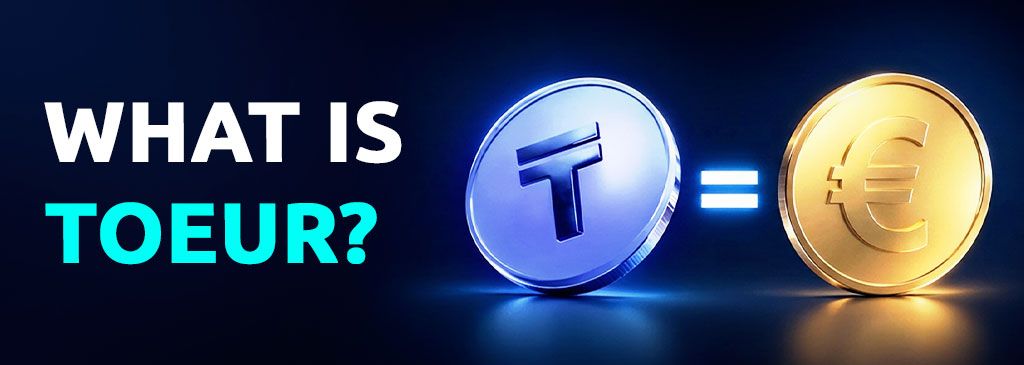
The explanation is simple: TOEUR represents euros inside Cryptal, with 1 TOEUR equal to 1 EUR. Your euro top-up automatically appears under this label, and when you withdraw TOEUR to your bank account, you receive euros.
This guide explains what TOEUR means, how euro top-ups work, and how to use or withdraw your euro balance without an additional manual conversion.
What Is TOEUR?
TOEUR is how euros are represented within the Cryptal platform. It is the label you see for your euro balance while managing funds and using the platform’s available crypto services.
The key relationship is:
1 TOEUR = 1 EUR
For example, a balance of 100 TOEUR represents €100. A balance of 500 TOEUR represents €500.
You do not need to buy TOEUR separately to top up your account with euros. Once your EUR top-up is credited, the corresponding balance appears automatically as TOEUR.
Why Does My Euro Balance Appear as TOEUR on Cryptal?
Cryptal uses TOEUR to represent euro funds within its platform. Seeing this label after a euro top-up is part of the normal account experience; it does not mean you have accidentally selected a different currency.
The same approach applies to other currency balances. Georgian lari appears as TOGEL, while U.S. dollars appear as TOUSD.
For users, the practical point is straightforward: the number shown in TOEUR tells you the euro value of that balance. If you have 250 TOEUR, you have €250 represented within Cryptal.
There is no separate EUR-to-TOEUR exchange rate to calculate when your euro top-up is credited.
How to Top Up Your Cryptal Balance with Euros
When you top up your Cryptal account with EUR, the credited euro amount automatically appears as TOEUR. You do not need to complete a separate purchase or manually exchange EUR into TOEUR.
The process works as follows:
- Open your Cryptal account and go to the section for adding funds.
- Choose the euro top-up option and an available payment method.
- Follow the payment instructions shown for your chosen method.
- Check your balance once the payment is credited. Your euro funds will appear as TOEUR.
For an overview of funding methods, see Top-Up Options Available on Cryptal.
Here is how credited euro amounts are represented:
| Euro amount credited | Balance shown on Cryptal |
|---|---|
| €50 | 50 TOEUR |
| €100 | 100 TOEUR |
| €250 | 250 TOEUR |
| €500 | 500 TOEUR |
These examples show the 1:1 relationship. Check the Fees & Limits page for charges that may apply to your selected payment method
What Can You Do with TOEUR?
TOEUR lets you manage your euro funds alongside the crypto assets in your Cryptal account. Once the balance is available, you can decide how to use it.
You can:
- Use your euro balance for supported crypto purchases, through the options available in your account.
- Keep track of your euro funds separately from Bitcoin and other crypto assets.
- Receive proceeds in TOEUR when selling crypto through a supported euro option.
- Withdraw euros to your bank account using an available EUR withdrawal method.
The available currencies and assets depend on the service you choose. Review the options and transaction details in your account before confirming an exchange.
Buying Bitcoin and Other Crypto with TOEUR
If you want to use your euro balance to buy Bitcoin or another supported crypto asset, start by checking the purchase or conversion options available on Cryptal.
Select the asset you want to receive, check whether your euro balance is supported for that transaction, and review the quoted amount and fees before confirming. Available conversion options and trading pairs may differ, so a TOEUR balance does not imply that every asset has a direct TOEUR pair.
For an introduction to the platform’s purchase methods, read Cryptal’s Buying Crypto – From Zero guide.
Remember that buying crypto is a separate transaction. Your TOEUR balance represents euros; the amount of Bitcoin or another asset you receive depends on the quote when you make the purchase.
TOEUR vs EUR: What Is the Difference?
The difference is where you see each label. EUR is the currency code for the euro, while TOEUR represents euro funds inside Cryptal.
| Topic | EUR | TOEUR |
|---|---|---|
| Meaning | Euro currency | Euros represented within Cryptal |
| Where you see it | Your euro bank account and euro payments | Your Cryptal balance |
| Value relationship | €1 | 1 TOEUR = €1 |
| After a completed bank withdrawal | Received as EUR | Selected as the euro balance to withdraw |
Imagine that €200 is credited to your Cryptal account. Your balance shows 200 TOEUR. If you later withdraw that balance as euros, the funds arrive in your bank account as EUR, with any applicable withdrawal or bank fees affecting the final amount received.
The label changes according to where the funds are held; the TOEUR-to-EUR relationship remains 1:1.
How to Withdraw TOEUR as Euros
When you want to move your euro balance from Cryptal to your bank account, select TOEUR for the withdrawal. The funds arrive as regular euros.
You do not need to exchange TOEUR into EUR manually before starting.
The basic process is:
- Open the withdrawal section in your Cryptal account.
- Select TOEUR as the balance you want to withdraw.
- Choose an available EUR bank withdrawal method.
- Enter the amount and required bank details.
- Review the withdrawal details, including any applicable fees, and complete the required confirmations.
- Receive EUR in your bank account once the withdrawal is processed.
For example, 100 TOEUR represents €100 before applicable fees. The amount that reaches your bank account depends on the charges associated with the withdrawal and any receiving-bank fees.
You can learn more in Cryptal’s Withdrawal Options Available guide.
The main point is simple: you choose TOEUR on Cryptal and receive EUR in your bank account.
TOEUR, TOUSD, and TOGEL: Understanding Your Cryptal Balances
If you use more than one currency on Cryptal, these labels can help you identify which balance you are viewing.
| Cryptal balance | Corresponding currency | Relationship |
|---|---|---|
| TOEUR | Euro — EUR | 1 TOEUR = 1 EUR |
| TOUSD | U.S. dollar — USD | 1 TOUSD = 1 USD |
| TOGEL | Georgian lari — GEL | 1 TOGEL = 1 GEL |
Each label refers to its own currency. One TOEUR is not necessarily worth one TOUSD or one TOGEL. Exchanging between euros, dollars, and lari is a separate transaction involving an exchange rate.
For the other balances, explore our guides to what TOUSD is and what TOGEL is.
Frequently Asked Questions About TOEUR
What does TOEUR mean on Cryptal?
TOEUR represents euros inside Cryptal. If your balance shows 100 TOEUR, it represents €100.
How much is 1 TOEUR worth?
On Cryptal, 1 TOEUR equals 1 EUR. You can read your TOEUR balance as its corresponding euro amount.
Why did my euro top-up appear as TOEUR?
Cryptal automatically represents credited euro funds as TOEUR. This is the normal way your euro balance appears within the platform.
Do I need to convert EUR into TOEUR manually?
No. When your euro top-up is credited, the corresponding balance appears automatically as TOEUR. You do not need to buy it separately.
Can I buy Bitcoin with TOEUR?
You can use your euro balance through supported purchase or conversion options. Check the available currencies and assets in your Cryptal account and review the quote before confirming.
Can I withdraw TOEUR to my bank account?
Yes. Select TOEUR and an available EUR bank withdrawal method. Once processed, the funds arrive in your bank account as euros, subject to applicable fees.
Will my bank receive EUR or TOEUR?
Your bank account receives EUR. TOEUR is the balance you select within Cryptal, so no separate manual TOEUR-to-EUR conversion is needed before withdrawing.
Summary: Understanding Your Euro Balance on Cryptal
TOEUR makes your euro balance easy to recognise within Cryptal. Once a euro top-up is credited, it appears as TOEUR, with 1 TOEUR representing 1 EUR.
You can use that balance through supported crypto services or withdraw it to your bank account as euros. There is no additional manual conversion required simply because your balance carries the TOEUR label.
Top up in EUR → See TOEUR on Cryptal → Withdraw as EUR.
To explore the platform and manage your balances, visit Cryptal.